
Why Getting Small Business Online Payroll Right Matters
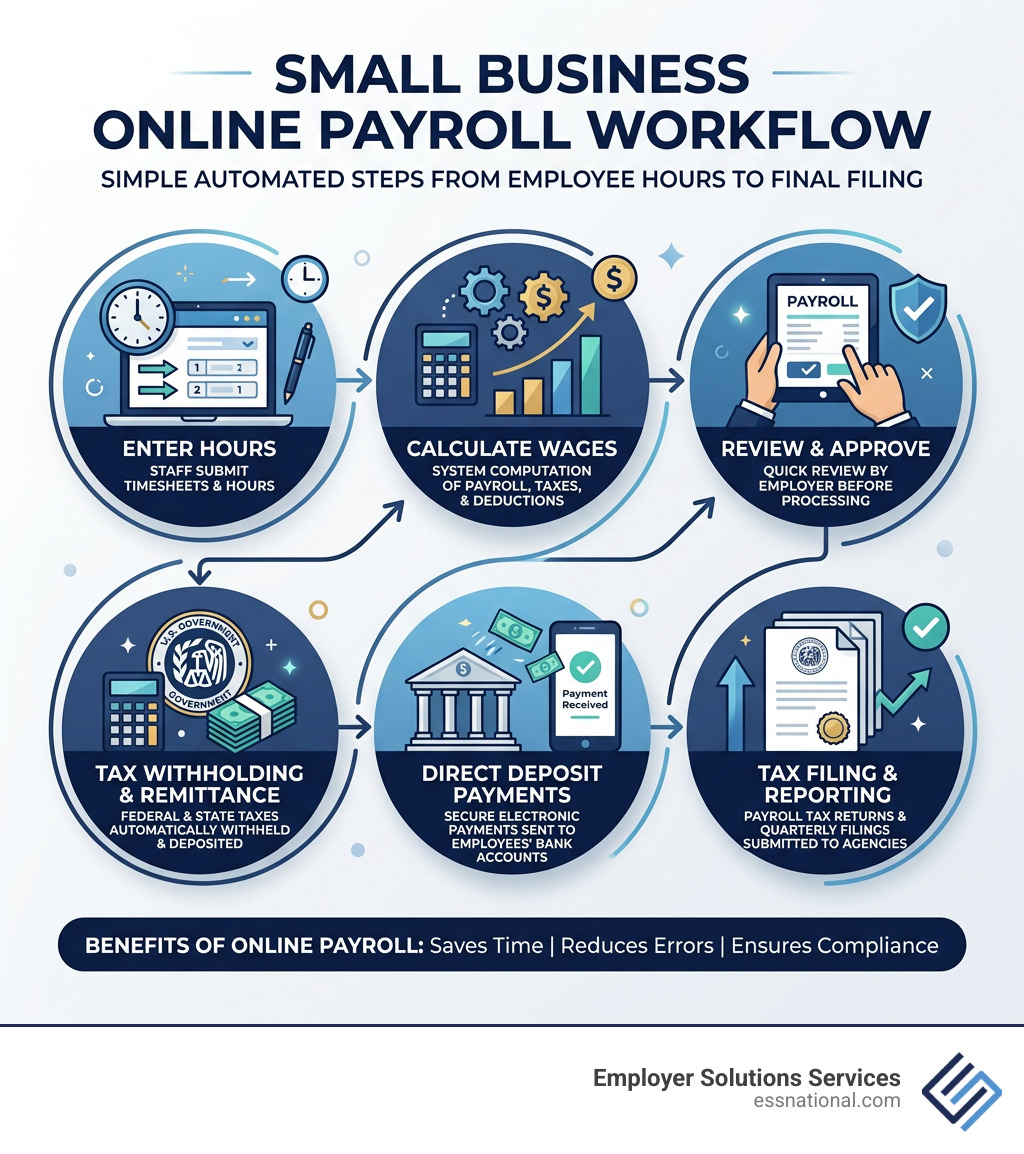
Small business online payroll is software that automatically calculates wages, withholds taxes, processes payments, and files payroll taxes – so you don’t have to do it manually.
Running payroll by hand is risky. Miss a tax deposit by just a few days and the IRS hits you with penalties – 2% for 1-5 days late, up to 15% if you wait too long. File Form 941 or 940 late and that penalty climbs 5% per month, capping at 25%. You can review the full breakdown of employment tax penalties on the IRS website.
For a small business already stretched thin, those mistakes are expensive.
The good news? Modern online payroll tools handle the hard parts automatically. Many businesses run a full payroll cycle in under three minutes. That’s time you get back to run your business.
Just as important, payroll is one of the few business functions where accuracy affects both compliance and employee trust. If paychecks are late, hours are wrong, or tax withholdings are inconsistent, employees notice immediately. A dependable online payroll process helps create stability for your team while reducing the administrative pressure on owners, managers, and office staff.
This guide compares the best features available in 2026 so you can pick the right fit.
The Benefits of Small Business Online Payroll Systems
When we look at how small businesses operated just a decade ago, the shift toward automation is staggering. Using a small business online payroll system isn’t just about digitizing a paper trail; it’s about reclaiming your most valuable asset: time. Research shows that users of efficient payroll platforms average less than three minutes to run a complete payroll.
The primary benefits of these systems include:
- Automated Calculations: No more manual math or worrying about updated tax brackets. The software calculates gross-to-net pay instantly.
- Direct Deposit & Flexible Payments: Most modern providers offer free direct deposit (standard 4-day or expedited 2-day) and the ability to print checks on-site.
- Tax Withholding & Filing: Systems automatically withhold federal, state, and local taxes. Full-service options go a step further by filing Form 941 (quarterly) and Form 940 (annually) on your behalf.
- Cost Efficiency: With monthly subscriptions and per-employee fees, you only pay for what you use. This is often significantly cheaper than hiring a full-time in-house payroll clerk.
By automating these “back-office” tasks, you can focus on what actually grows your company. At ESS, we’ve spent over 30 years helping businesses manage these transitions. You can discover more about our comprehensive services to see how we handle the heavy lifting of administration for you.
Reporting Features in Small Business Online Payroll
One of the most underrated aspects of small business online payroll is the data it generates. Modern systems don’t just pay people; they provide a window into your business’s financial health.
Standard reporting features you should look for include:
- Tax Liability Reports: These show exactly what you owe to federal, state, and local agencies, ensuring there are no surprises during tax season.
- Wage Summaries: A clear breakdown of what you are spending on regular pay, overtime, commissions, and bonuses.
- Workers’ Comp Reports: Many systems integrate with workers’ compensation providers to offer pay-as-you-go billing, which improves cash flow by basing premiums on actual payroll data rather than estimates.
- Leave and Time Tracking: Reports that cover vacation, sick leave, and time activities help you manage your workforce’s capacity.
These reports can be customized, printed, or exported to share with your accountant. If you’re curious about how we support businesses with these insights, learn more about us and our commitment to administrative excellence.
How to Implement Small Business Online Payroll Successfully
Switching to a new payroll provider might feel like moving houses—daunting and full of boxes—but modern setup wizards make it surprisingly smooth. Most providers offer onboarding assistance to help you migrate data from your old system, whether you are switching mid-year or at the start of a quarter.
Key steps for a successful implementation include:
- Software Integration: Ensure your payroll talks to your accounting software (like QuickBooks) and your time-tracking tools. This prevents manual data entry errors.
- Employee Self-Service: Set up portals where employees can download their own W-2s and pay stubs. This drastically reduces the number of “admin” questions hitting your inbox.
- Data Migration: Gather your employee details, including tax IDs and prior pay history for the current year, to ensure tax filings remain accurate.
If you are expanding and ready to hire new talent, having an automated system in place ensures that new hire reporting to government agencies happens automatically, keeping you compliant from day one.
Essential Features for Compliance and Accuracy
Compliance is the “make or break” factor in payroll. The IRS and state agencies in locations like Florida, Illinois, and Texas have strict requirements. A robust small business online payroll tool acts as a shield against legal and financial headaches.
When choosing a provider, you generally have two paths:
| Feature | Full-Service Payroll | Basic Payroll |
|---|---|---|
| Tax Calculations | Included | Included |
| Federal Filing (941/940) | Handled by provider | Employer must file |
| State/Local Filing | Handled by provider | Employer must file |
| Year-end W-2/1099 | Usually included | Employer must generate |
| Compliance Guarantee | Often provided | Not usually provided |
For businesses operating in states like New Jersey, Pennsylvania, or Nevada, multi-state tax handling is essential. Leading systems support thousands of different local taxes. This is crucial because state-specific rules for unemployment insurance and disability vary wildly.
Automation ensures that Form 941 (Employer’s Quarterly Federal Tax Return) and Form 940 (Employer’s Annual Federal Unemployment Tax Return) are submitted on time. The penalty for late filing is 5% per month, which can quickly spiral into a 25% surcharge on top of what you already owe.
Understanding Pricing and Subscription Models
Pricing for small business online payroll is typically transparent, but you need to do a cost-benefit analysis based on your headcount.
Most providers use a “Base Fee + Per Employee” model:
- Basic Plans: Offer a competitive base rate with an additional fee per employee. These are often chosen by businesses that prefer to handle the filings themselves.
- Full-Service Plans: Automate everything, including tax filings and payments, for a higher monthly base fee.
- Contractor-only Plans: Some providers offer unique plans for a low monthly fee per person, which is perfect for businesses that don’t have W-2 employees.
When calculating costs, don’t just look at the monthly bill. Consider the “cost of error.” If a $50/month software prevents a $500 IRS penalty (the average penalty for a $5,000 tax deposit being three weeks late), the software has paid for itself ten times over in a single month.
Frequently Asked Questions about Online Payroll
How does online payroll handle multi-state taxes?
Most top-tier providers allow you to set up multiple “work locations” within the software. If you have an employee living in New Jersey but working in Pennsylvania, the software calculates the correct reciprocal tax agreements and state unemployment insurance (SUI) rates automatically. Some providers charge a small additional fee for each extra state you file in.
What are the penalties for late payroll tax deposits?
The IRS is quite strict about timing. The penalties are tiered:
- 1-5 days late: 2% of the unpaid amount.
- 6-15 days late: 5% of the unpaid amount.
- 16+ days late: 10% of the unpaid amount.
- After IRS Bill: If you wait more than 10 days after receiving your first IRS notice, the penalty jumps to 15%. Additionally, interest charges (typically between 3-6%) are applied to the balance.
Can online payroll manage both W-2 and 1099 workers?
Yes. Modern small business online payroll systems are designed for the “gig economy.” You can pay W-2 employees and 1099 contractors through the same interface. The software will generate W-2s for your staff and 1099-NEC forms for your contractors at the end of the year, ensuring all your “new hire” reporting and year-end obligations are met for both types of workers.
Conclusion
Choosing the right small business online payroll tool is a foundational step in scaling your business. Whether you need POS integration, high-speed processing, or comprehensive tax support, the goal is the same: accuracy and peace of mind.
At Employer Solutions Services (ESS), we bring over 30 years of experience to the table. We understand that payroll isn’t just about numbers; it’s about the people who help your business succeed. Beyond software, we offer customized payroll and back-office administration services designed to fit your specific industry and location, whether you’re in Florida, Georgia, Illinois, or any of our other service states.
Don’t let administrative burdens slow your growth. Contact Us today to see how we can help you implement a payroll strategy that works. If you’re looking for a partner to handle everything from staffing to compliance, we invite you to streamline your business with our services. Together, we can make sure your team is paid on time, every time, while you focus on the big picture.